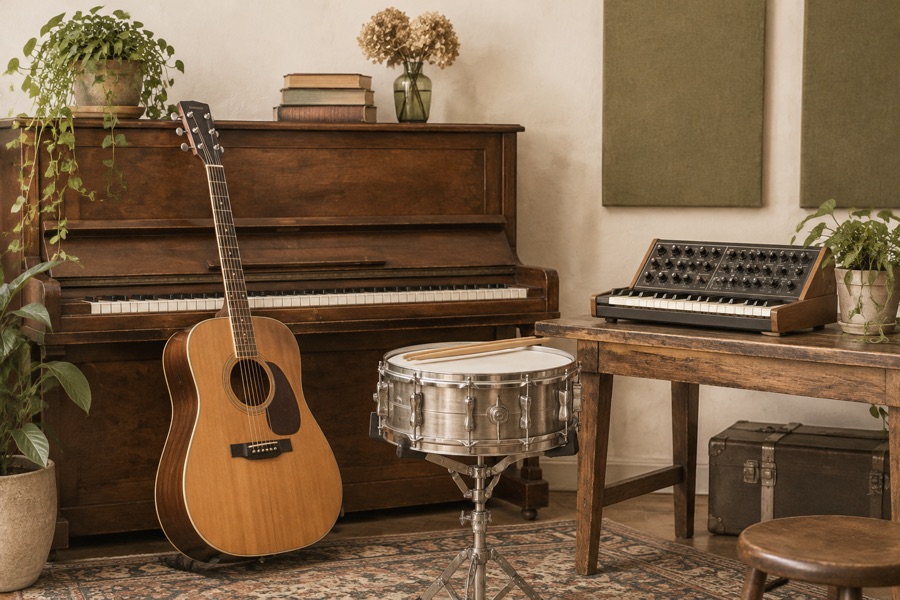
Acoustic
Try an intimate arrangement built around fingerpicked guitar and gentle percussion. It is a useful direction for hearing how a dense pop or rock demo might feel with more space around its main melody.
 AISong
Your melody. A different arrangement. Upload a song, choose a new style, and hear another direction for your music.
MP3 or WAV · 10 seconds–5 minutes · 10 credits per request
An AI song genre changer uses an existing recording as the starting point for a new arrangement. It changes the musical setting—such as instruments, groove and production—while aiming to retain a recognizable musical idea. This is a newly generated version, so it can also change the performance, structure and length.
Upload an MP3 or WAV you own or have permission to adapt. Use a clear recording with an audible melody. The tool accepts 10 seconds to five minutes and files up to 100 MB. Listen to the original first so you know what you want to carry into the new version.
Select a genre, then optionally name a few instruments or a mood. “Jazz, brushed drums, upright bass” gives a more focused direction than a long list of conflicting styles. Add lyrics if you want to guide the sung words, or choose an instrumental version.
Sign in, review the credit quote and confirm your rights to the source. Submit once and follow the saved task; you can keep working while it runs. When the result is ready, compare it with your original and download it. Trying another style creates a new paid request.
These presets are starting descriptions you can use without knowing production terminology. Select one to fill the tool, then refine it with your own instruments or mood. The examples describe creative directions, not recordings or guaranteed results.
Try an intimate arrangement built around fingerpicked guitar and gentle percussion. It is a useful direction for hearing how a dense pop or rock demo might feel with more space around its main melody.
Ask for piano, upright bass and brushed drums with a swing feel. A jazz cover can reveal a different character in a familiar hook, although the model may reinterpret the rhythm and vocal phrasing.
Explore mellow electric piano, warm bass and relaxed drums. Use this direction when you want to test a softer, less busy musical setting. Listen for whether the central tune still comes through clearly.
Take a quieter sketch toward electric guitars and a live band feel. The aim is a more energetic arrangement; it does not promise a specific guitar tone, exact tempo or the same singer.
Explore synth leads, a steady dance kick and electronic bass. This can help you compare an acoustic idea with a dance arrangement. Check transitions and the ending before fitting the result into a video edit.
Try expressive strings, piano and dynamic percussion around your theme. It is a direction for exploring a dramatic arrangement, rather than a promise of a finished film score or separate orchestral tracks.
Changing a song’s genre is different from replacing a singer’s voice. Choose the workflow that matches your goal, especially when keeping the original recording is essential.
| Your goal | What to expect |
|---|---|
| New instruments and a new musical style | Use this genre changer. It generates a fresh arrangement guided by your source and chosen style. |
| A recognizable melody or the same lyrics | The source and optional lyrics guide the result. Exact notes, words, phrasing and song structure can drift. |
| The original vocal recording, unchanged | This tool cannot guarantee that. It can generate a different voice or performance along with the arrangement. |
| Only a different singing voice | Use the voice cover tool on our homepage. Genre change and voice conversion are separate tasks. |
You have a hook you like but are unsure about the arrangement. Compare an acoustic direction with a fuller band version before deciding what to record or produce yourself. Treat the output as something to evaluate, rather than an editable studio project.
Explore a gentler or more energetic version of music you control for a new scene. Check the generated duration and section changes against your edit. A genre change does not clear someone else’s copyright or remove Content ID obligations.
Hear how instrumentation and groove can shift the feel of your own musical idea. Compare the hook, first verse and ending, and note which details work. You can reuse an uploaded source for another genre while the source remains available.
A convincing new genre is only half the job. Compare the main hook, lyric pronunciation and section order with your source. Then listen through the middle and ending for unwanted changes or artifacts. Generated audio may vary between attempts; a technically completed task can still need creative revision.
Yes. This workflow uses uploaded audio and a target style to request a new arrangement. It is intended for restyling a song you already have, rather than generating an unrelated song from a text description. Evaluate the result against your source.
The model aims to retain the core melody, but exact preservation is not guaranteed. Optional lyrics can guide the words. The singer, phrasing, timing and arrangement may change. This is unsuitable when you need the original vocal recording to stay untouched.
Exploring styles is free. Generation requires an account and costs 10 site credits per request, shown in your quote. The same account balance is used across music tools. A new attempt is charged separately, including when you want a different creative interpretation.
Credits are reserved when a task is accepted and charged when a result is successfully archived. Failed or cancelled tasks return their reserved site credits. Cancellation is available while queued. A completed result you dislike is not treated as a technical failure.
You can provide Chinese or English lyrics to guide a vocal version; pronunciation and lyric accuracy need listening checks. For an instrumental version, turn on the instrumental option. The tool then omits lyric guidance. Neither option guarantees perfect vocal preservation or removal.
You can play and download the archived audio result. The download follows the actual format returned by the service; there is no format selector, stem export or MIDI export here. A generated arrangement may have a different length from the source.
Your upload is stored privately and supplied to KIE for processing through a temporary access link. Source files and completed results are available on this site for seven days from their respective save times. You can delete eligible files sooner. Provider retention follows its own policy.
Only upload music you have permission to process and adapt. Before publishing, check the rights to the composition, lyrics and recording, along with applicable service terms and platform rules. Paying for generation does not clear third-party rights or guarantee commercial permission.
Choose a recording and one clear direction. Keep the original nearby, then decide what works with your own ears.
Choose your songView credits and pricing